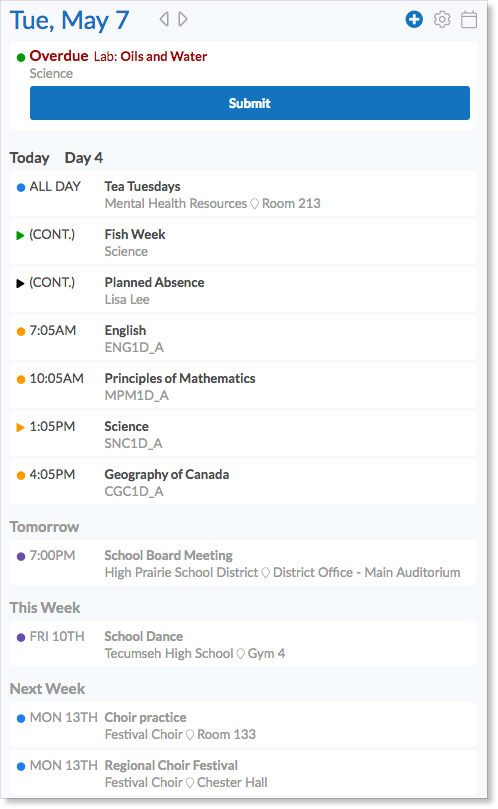
When parents log in to Edsby, they see a home screen that is similar to the teacher home screen, however, instead of a list of classes, parents are shown a list of all of their children. Within the section for each child, the parents will be shown a condensed version of the same information that is shown on that child’s home screen – the child’s Classes, Calendar, and Recent Activity.

The Child’s Classes Panel
The Classes for each child panel displays a list of all of the classes that the child is currently enrolled in. For each class, the parent will be shown the name of the class as well as the formal name and picture of the teacher. Parents will not be able to enter the class unless enabled to do so by the class teacher in the Class setup form. Parents never see the list of students enrolled in a class for student privacy reasons.

The Child’s My Work
When the parent hovers over each of the classes in the Class panel, a “My Work” button will be displayed.
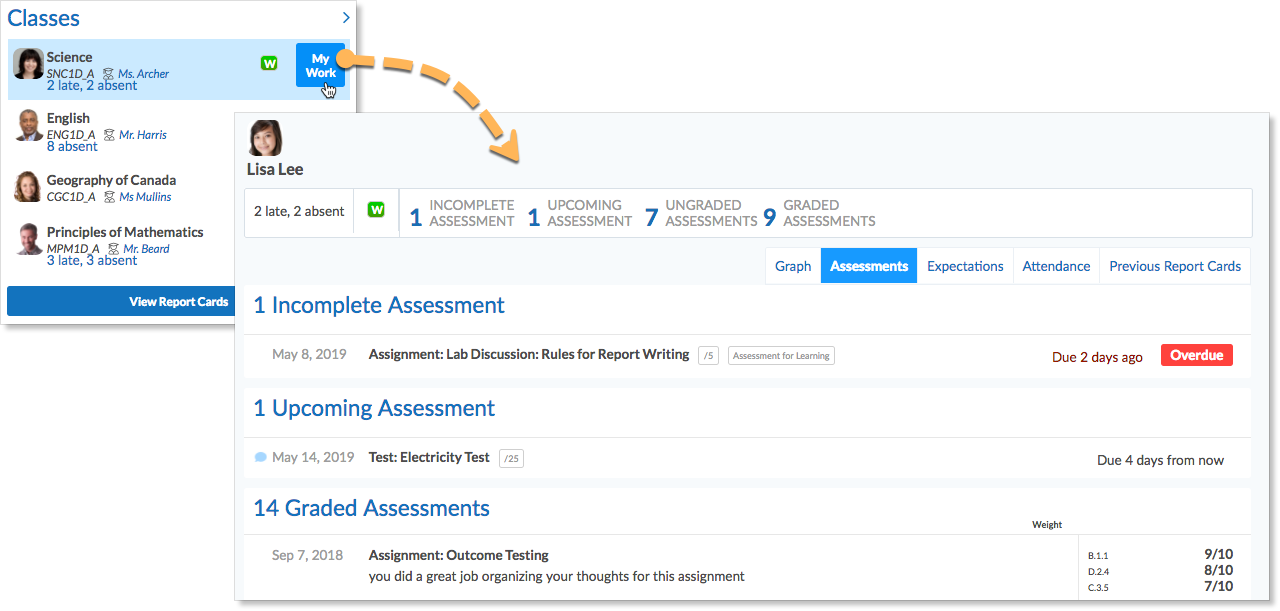
When the parent clicks that button,they will see a graph composed visible assessments with shared results. Using the tab above the graph parents can view their child’s upcoming assessments and assessment results, a list of all expectations/standards/observations and their child’s level of success, a record of attendance, and previous report cards.
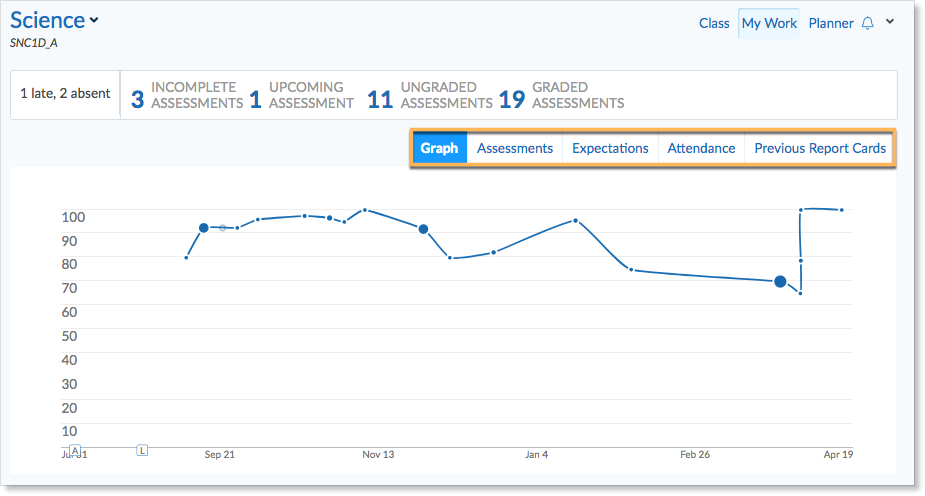
If new results have been shared by the teacher since the parent last logged in, they will be notified on the Classes panel.
The Child’s Average grade display
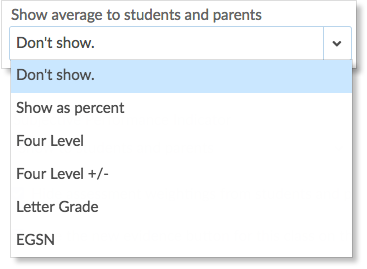
If a teacher has turned on the Show averages to students and parents option in the class setup, then the average for that class will be displayed at the top of the student’s My Work for that class. If the teacher has set Show averages to students and parents to Don’t Show, the average will not be displayed.
The Child’s Recent Activity
The child’s Recent Activity will contain all of the postings made by teachers in the classes that the student is a member of.

Parents are able to Like posts within a class or from the home screen’s Recent Activity feed. Teachers are able to see Likes from both parents and students.

However, parents will only see whether they have liked a post or not and students will only see likes from faculty and other students.
The Child’s Calendar
The child’s calendar will contain the amalgamated view of all of the calendars of all of the classes and all of the groups of which the child is a member.