

Edsby introduces Destinations, bringing competency-based education to K‑12 at district and regional scale
Edsby Destinations is a scalable competency- and outcomes-based assessment and reporting system for school districts and regional governments.
Assessment & reporting
Enable teachers to do their best possible reporting. Use your own pedagogical approaches and assessment practices.

How it works
Four parts of assessment and reporting, in one platform built just for K-12.
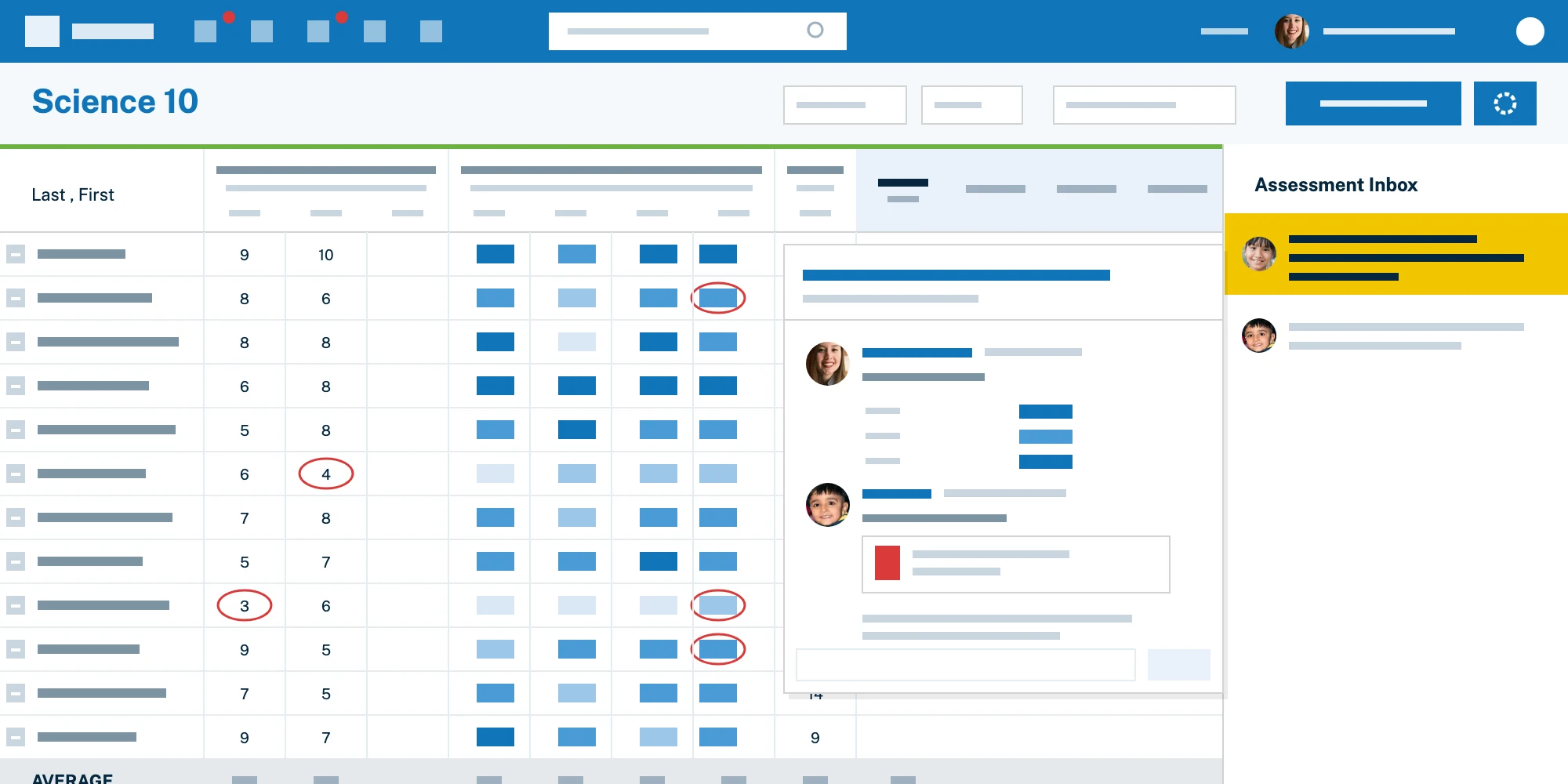
Edsby has one of the most flexible, powerful gradebooks there is. And it was built just for K-12.
Tie assessments, observations, evidence of learning artifacts and more to local expectations, outcomes, standards or competencies. Comprehensive support for advanced standards-based assessment and reporting showing proficiencies and mastery.
Align your teachers with your region’s specific approach to assessment and reporting. Edsby supports schemes far beyond simple A-B-C, percentage and rubric schemes. Use multi-level stranding (e.g. EGSN, KTCA, etc.) and standards-based assessment. Tailor with your terminology. Even pre-configure teacher gradebooks and assessments with preferred grading and reporting defaults.
Create and re-use online tests with a variety of question types, many with automatic grading. Grades appear in the gradebook. Can be used for traditional quizzes, exit ticket or student reflection and can be performed via web browser or mobile app.
Grade and mark up popular electronic document types. Teachers choose when to share with students & parents.
Assignments can be given in Google Drive or M365 without students needing to submit when complete.
Best-in-class systems for capturing and sharing learning across the full range of K-12.
Invaluable for evaluation of early year students but useful everywhere. Teachers can make observations and capture formative learning evidence in notes, pictures and videos to help in triangulation of a student or class’ progress. Observations and evidence can be shared with other teachers and parents and organized for reference at reporting time.
Show students their progress against local or state/provincial standards with Edsby Destinations.
Evidence can be shared for student and parent reactions and input.
Teachers can communicate student progress with special subjective indicators.
Students can showcase their best work in sortable, filterable personal electronic portfolios and reflect on their assignments, ask questions, track their growth and document their learning.

All evidence of a student’s learning at teachers’ fingertips, in one place, at reporting time.
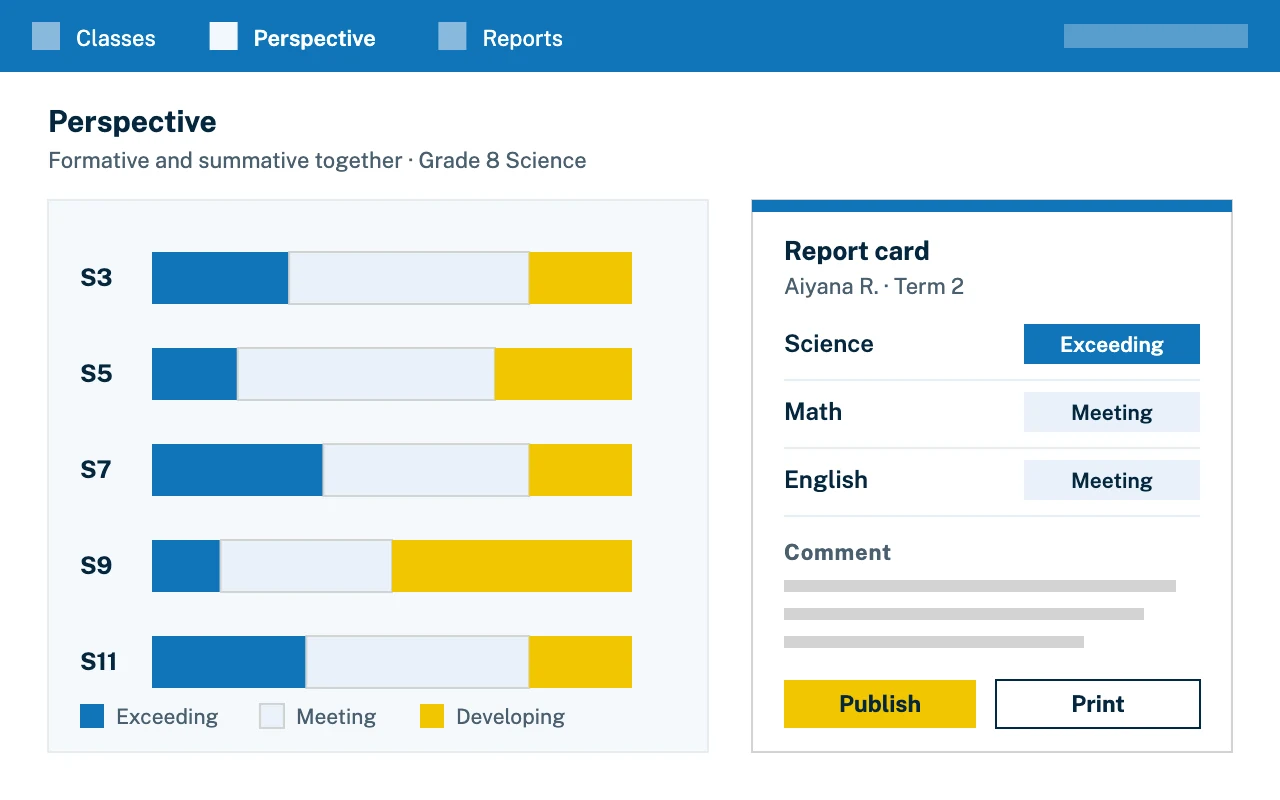
See what formative and summative data are indicating about class performance with Edsby’s Perspective views. Perspective Analyze enables teachers to make informed instructional decisions for individual students or groups of students based on multi-dimensional assessment data.
Teachers can generate official student report cards with comment libraries. Calculated grades can be overwritten.
Formative and summative data, progress against standards, attendance & more are a click away when teacher are writing report cards in Edsby.
Official report cards can be printed or published electronically, saving time and resources. Manage report cards across an entire region without needing to build support in each SIS/SMS.
Supporting local assessment & reporting approaches today and tomorrow.
Track and share student progress against your Portrait of a Graduate competencies, or local equivalent, using Edsby Destinations.
Assign different assessments to subsets of students as desired.
Parents receive their own accounts, tied to their children’s, as a window into their achievement. They see learning evidence of younger children curated by their teacher, incl. photos, videos, lesson plans or videos of class interactions. Information is real time, not a periodic email abstract.
It’s a little thing teachers love! When creating a new assessment, Edsby can recommend the best due date and time after searching the calendars of students in the class for events, other assessments, planned absences or other potential conflicts.

How it fits together
One thread of evidence, from the first observation to the official report.

In class
Teachers record observations and capture learning evidence in notes, pictures and videos, tied to standards.

At home
Parents have their own accounts and see evidence in real time, not in a periodic email abstract.

At reporting time
Formative and summative data, and progress against standards are all shared with students and families.
Case studies and news
Edsby Destinations is a scalable competency- and outcomes-based assessment and reporting system for school districts and regional governments.

What leading K-12 districts get right about standards-based grading that most others still miss.
How large K-12 districts evaluate workflow and assessment platforms at scale and what works.

Edsby supports competency-based grading and reporting for K-12 districts.

Edsby supports clear standards-based report cards and grading policy for K-12.

Edsby supports standards-based assessment and reporting for K-12 districts.
In their own words
252Teacher, School district, Admin and Parent testimonials
Messaging staff makes me feel more connected to the school and my children’s education.
I like that students, parents, and staff can see everything in one place.
Edsby empowers students and parents to own their education and engage actively.
Edsby groups enable teacher-student collaboration and resource sharing through PLCs.
The Edsby gradebook is a game changer that self-populates at report card time.
Edsby checks all the boxes: info access, standards-based gradebook, calendaring, and messaging.
Edsby has everything a school needs: assessments, report cards, and privacy controls.
I love how Edsby shows grades, due dates, and keeps me informed about my child.
I get daily reminders and easy access to everything about my son’s day.
Edsby helped us stay connected with families and improved whole-school communication.
I love training others on Edsby. It's great for communication and sharing with parents through groups.
Clear communication with Edsby removes guesswork and boosts parent engagement.
FAQ
Answers for teachers, school leaders and district staff.
Yes. Edsby supports advanced assessment and reporting schemes far beyond simple A-B-C, percentage and rubric schemes, including multi-level stranding (for example EGSN or KTCA) and standards-based assessment. You can tailor the terminology and pre-configure teacher gradebooks and assessments with your preferred grading and reporting defaults.
Yes. Teachers can create and re-use online tests with a variety of question types, many with automatic grading. Grades appear in the gradebook, and tests can be taken in a web browser or the mobile app.
Yes. Teachers can make observations and capture formative learning evidence in notes, pictures and videos, share it with other teachers and families, and organize it for reference at reporting time.
Yes. Parents receive their own accounts, tied to their children’s. Information is real time, not a periodic email abstract, and for younger children parents see learning evidence curated by the teacher.
Teachers generate official report cards in Edsby with comment libraries, and calculated grades can be overwritten. Report cards can be printed or published electronically, and managed across an entire region without building support in each SIS/SMS.
Explore other solutions
Edsby is one platform. These pages show it from different starting points.
Talk with our team about your district, region or school.