Contact Sales

Edsby for students: Everything for school, in one place.

Your classes, assignments, grades, schedule, clubs and teams in one app, on any device, with a safe space to ask, share and be heard.

A smiling student with a backpack and a notebook stands in a school hallway

What students want

  1. To know how they are doing

    Grades and feedback as soon as teachers share them.

  2. To be heard

    A safe, moderated space to speak up and take part.

  3. To feel safe

    Real-time alerts, and a school that notices.

  4. Learning that is interactive

    Online lessons, discussions and quizzes in one place.

How Edsby helps students learn and feel safe

Clear, real-time feedback

Know where you stand, right away

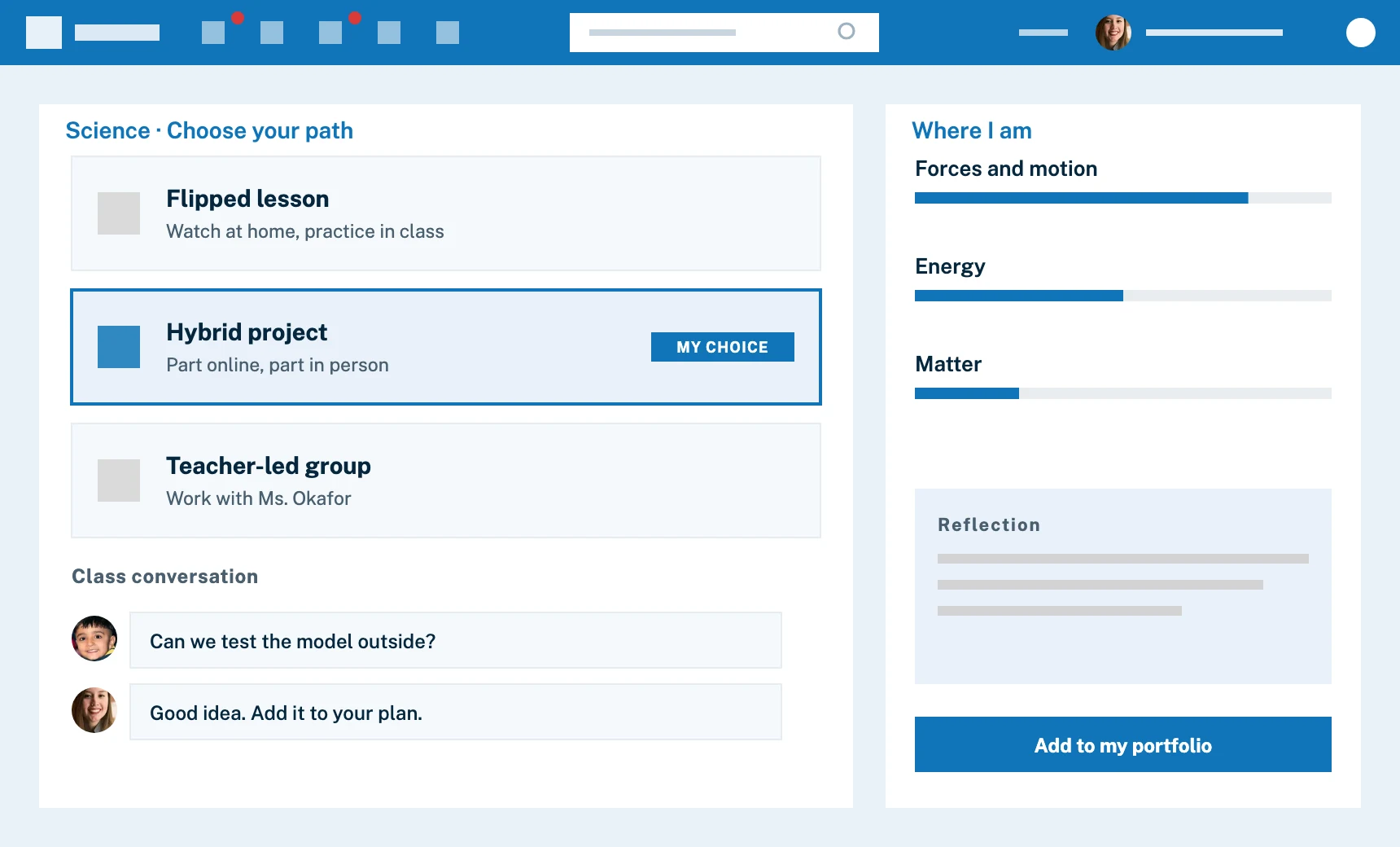
When a teacher shares a grade, you see it with no delay. Check results and feedback, follow your course plan, and keep your best work in a portfolio you can show off.

  • Real-time grades, when your teachers share them
  • A Learning Story of your evidence of learning
  • A portfolio of your best work, with pictures, video and uploads
  • Units and lessons, with grades, in the course plan
Portfolios
Stylized view of an Edsby class where a student chooses how to learn and show their learning: goals, options for evidence, and a class conversation

To be heard and accepted

A safe place to speak up

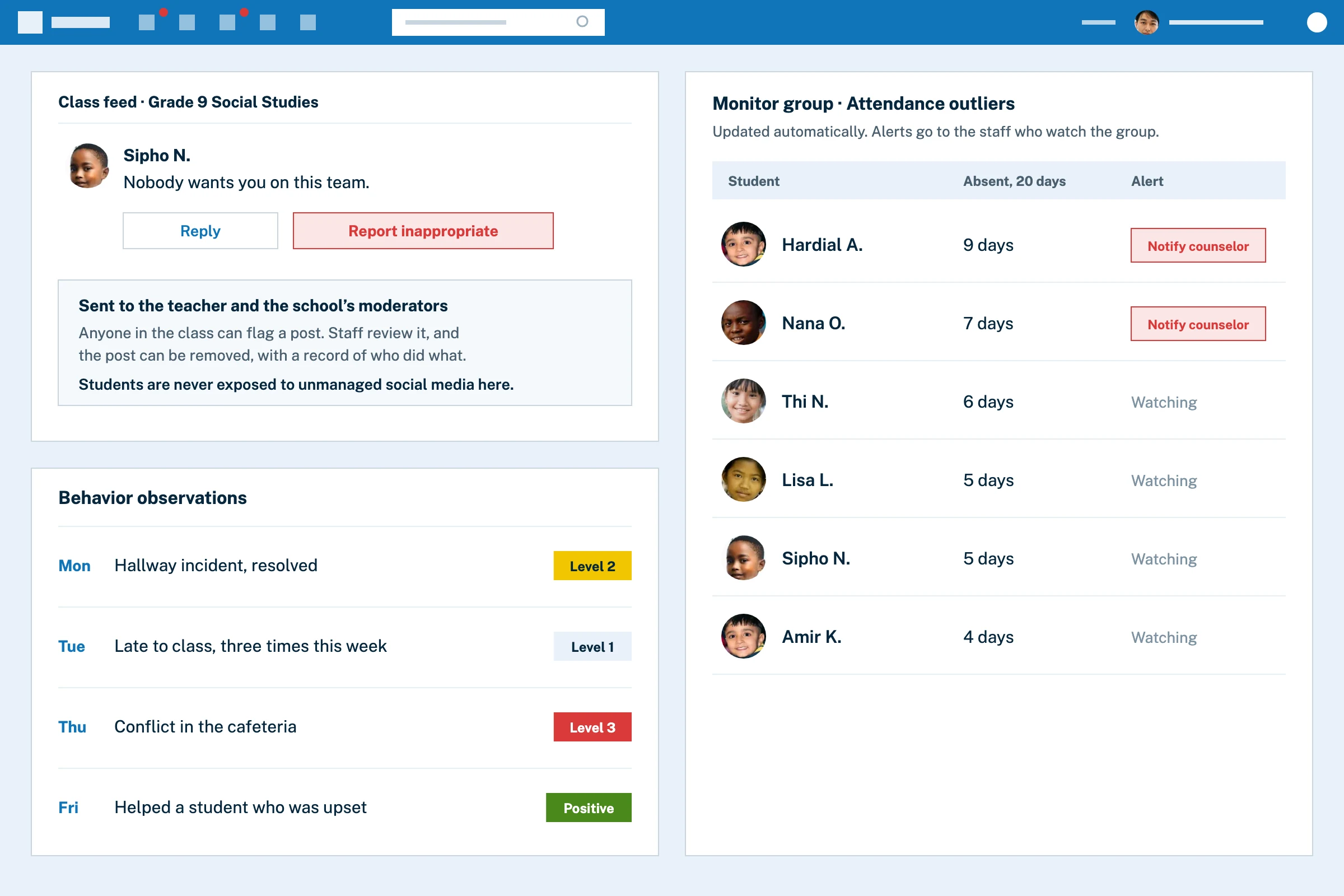
Every class has a feed that feels like the social media you use, but with your school looking out for everyone. Ask questions, help classmates and share ideas. You can also report anything that is not okay.

  • Class feeds and class groups
  • Report Inappropriate, right on the post
  • Moderated by staff, unlike social media outside school
  • Polls and discussions where every voice counts
Groups for students
A post with a Report inappropriate button, a log of behavior observations with levels, and a monitor group listing students absent most often

School safety

Alerts that reach you when it matters

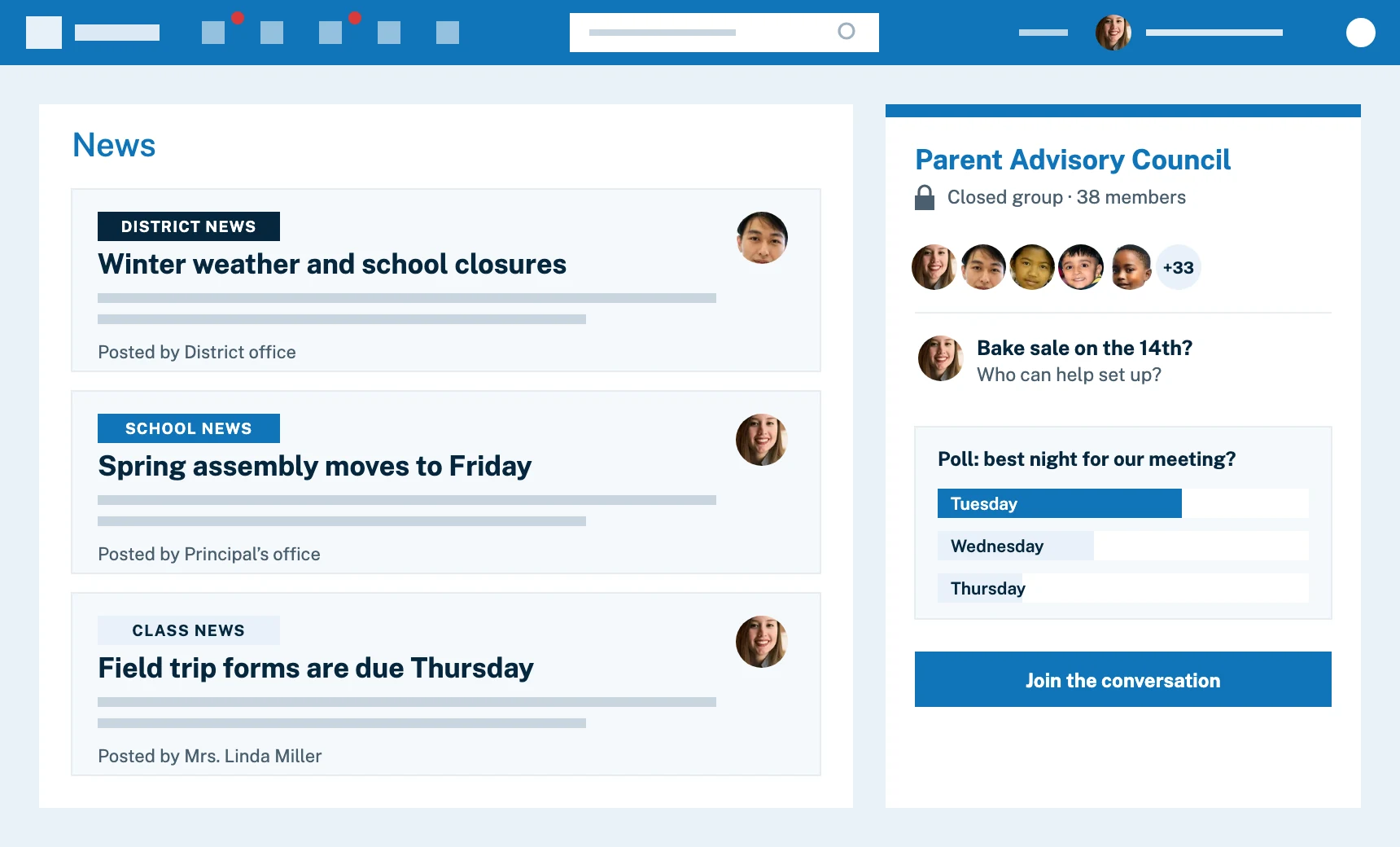
School and district leaders can share real-time safety updates through the news river and push notifications, and staff keep track of behavior and incidents in one place so issues are handled quickly.

  • News river and push notifications
  • Staff observations and the Panorama in one place
  • List and monitor groups so students who need support are noticed
News river for students
Stylized view of Edsby for a parent: district, school and class news from different senders, beside a closed Parent Advisory Council group with a poll

Watch

A tour of Edsby for students

A look at what you see when you log in to Edsby.

Two students laugh together over a phone on a sofa

How Edsby makes learning interactive and supports well-being

Engaging and interactive learning

Learning that is online, social and always there

Learning should be interactive, social and engaging, not passive, and everything is online and available any time. Lessons, projects, discussion boards and tests live in one place, with quizzes that are marked instantly.

  • Lessons built from video, links and files in the content builder
  • Quizzes with automatic, instant grading
  • Class discussions in workgroups your teacher sets up
  • One calendar for classes, clubs and teams
Online testing for students
Mockup of an online test with automatic grading, and an assessment form that flags a calendar conflict

Mental health and emotional well-being

Someone to talk to

Stress, anxiety and low mood are real. Counselors, teachers and other trusted adults can be reached directly through Edsby with private 1:1 messages, and in Canada Edsby partners with Kids Help Phone.

  • 1:1 messages between you and school staff
  • Groups that build community
  • Kids Help Phone partnership in Canada
Communicating privately with your teacher
A student writing privately to a school counselor, beside a list of people who can help, including the Kids Help Phone partnership in Canada

Why students like Edsby

It knows your day, so you can focus on it.

Edsby shows what is going on, every day. It knows your classes, assignments and timetable, and it reminds you when things are due.

  • Always up to date

    No paper schedules or timetables. Classes, events, assignments and results update themselves.

  • A class library

    Study guides and files stay in the class library, so the night before the exam they are easy to find.

  • Clubs and teams

    Give the glee club or the football team its own group, with unread tracking and events that go straight to everyone’s calendar.

  • Any device

    Use a web browser or the free Edsby app for iOS and Android.

  • Course plans and grades

    See the units and lessons ahead, which are done, and the grades you earned.

  • Time management, built in

    Academic and extracurricular schedules together help you plan your time.

In their own words

What students say about Edsby

10Student testimonials

Edsby is awesome!
Liam HewittStudent, Kawartha Pine Ridge District School Board, 38,000 students and their parents on Edsby since 2014
Edsby is very useful for homework!
Lilly ReginaldStudent, St. Anne's School
Edsby is awesome!
Rachel VeldhuizenStudent, Rehoboth Christian School
I love how easy Edsby is to use. I can see all my grades and message my teachers. It’s simple, and I like that.
Alex AugustineStudent, Smithville Christian High School
A great app to see your grades and classes, and to reach out to your teachers.
Helen GoterbratStudent, Regina Public Schools, 27,000 students and their parents on Edsby since 2021
Edsby lets me contact my teachers very quickly. It also keeps my homework organized.
Arwa RamadanStudent, Regina Public Schools, 27,000 students and their parents on Edsby since 2021
Edsby is very informative and helpful to my studies.
Goodluck AdeyanjuStudent, Regina Catholic Schools
I like that I can always see my grades and message my teachers easily.
Amy RentnerStudent, Lakehead Public Schools
Compared to Google Classroom, which I used at a public school, Edsby has been a game changer.
Reese BartlettStudent, King’s Christian Collegiate
Edsby is the best!!!!!!!!
Ella YellowheadStudent, Northwest School Division

FAQ

Questions students ask about Edsby

About grades, groups and keeping your stuff.

Help for students
Where do I find my grades?

When your teacher shares them, they show up right away in Edsby. The student quickstart shows where everything is.

Does Edsby work on my phone?

Yes. Use a web browser, or get the free app for iPhone or Android. Get the apps.

Who sees what I post in my class?

The people in your class, including your teacher. Posts that are not okay can be reported with Report Inappropriate, and staff review them. More about groups.

Can I start a group for my club or team?

Clubs and teams can have their own Edsby groups. Ask your teacher or coach to set one up. Groups for students.

Can I keep my best work in Edsby?

Yes. Build an online portfolio with pictures, videos or other uploads to show your learning journey. About portfolios.

Who can I talk to if I am struggling?

Counselors, teachers and other trusted adults can be reached with private messages. Messaging your teacher.

Do students really like it?

Many do. Students at one Edsby school made a video about it.

Explore other solutions

Edsby is one platform. These pages show it from different starting points.

A woman inviting you to contact Edsby

Want Edsby at your school?

Tell your principal about Edsby, or ask our team how it could work at your school.

Contact Sales Send to my principal