

K-12 digital forms: why districts are moving off paper permission slips
Paper forms cost schools time and trust. See how K-12 digital forms fix that.
Family engagement
K-12 students’ outcomes improve when their parents or guardians are involved. How does your app, or apps, compare?

How it works
Four parts of family engagement that usually live in separate tools.
With Edsby, you have a safe, managed “walled garden.” Share safely with your school community.
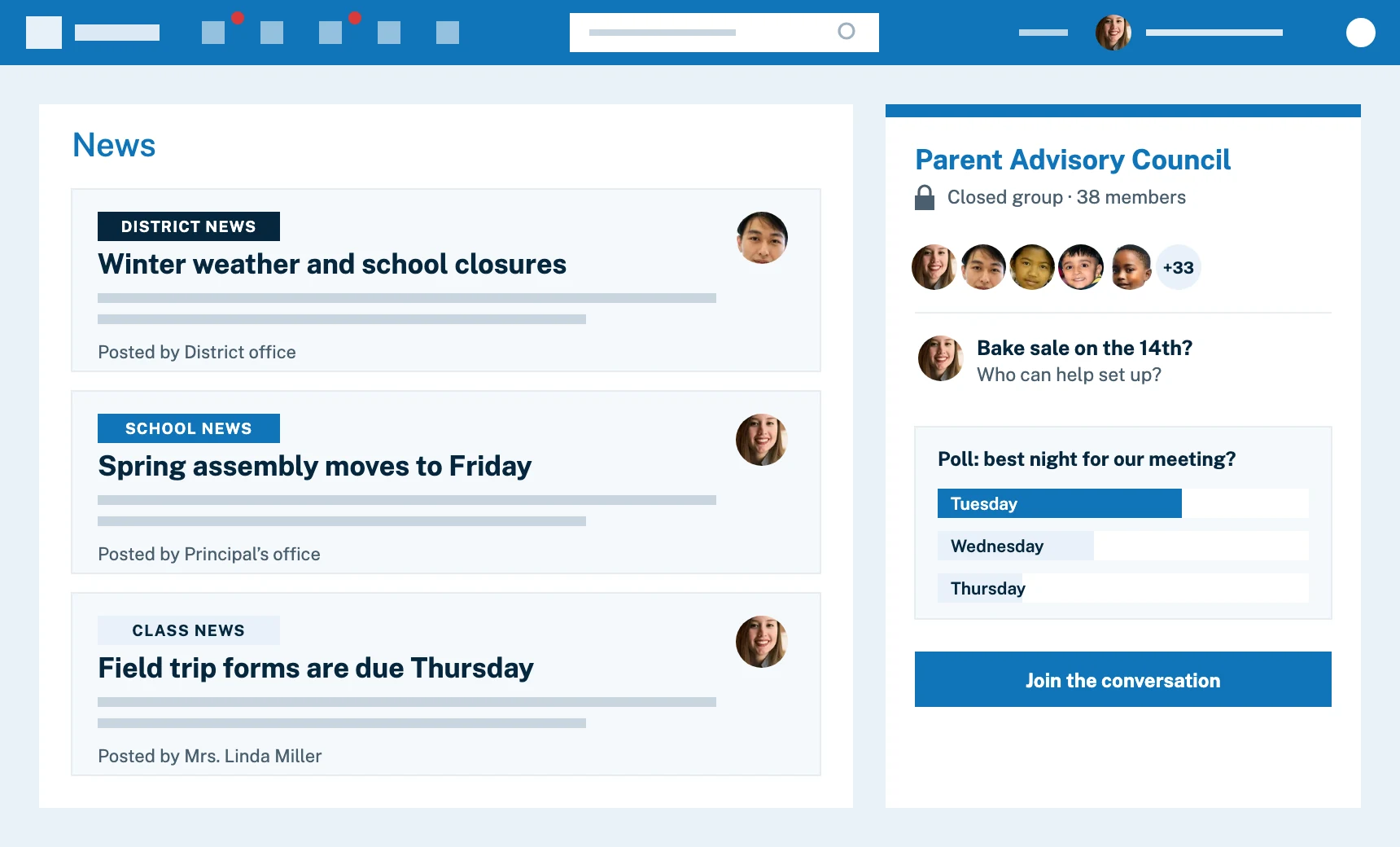
In K-12, there’s class news, like upcoming field trips. There’s school news, like snow days or assemblies. There’s official district news, like pandemic masking policies. Different educators manage each level. Only Edsby gives K-12 organizations a well-thought out framework with permissions and workflows for the distribution of these different types of news.
Give new immediacy and relevancy to Parent-Teacher Association and similar conversations. Let all families that want to be involved participate at a time that suits them. Field questions and answers in safe, closed forums where everyone participates when they can.
Enable your families to be active members of your community. Edsby Groups can be used by families, and are richer than anything similar anywhere, with their own collaboration, polls, document sharing, storage, wiki-like knowledge base, calendars and more.
Modern communications with stakeholders that’s light years beyond paper in backpacks.
Teachers and families can message privately. Send broadcasts by class, grade, teacher, club/group or more. Distribution lists are maintained automatically so teachers don’t have to themselves.
If a student isn’t going to be in class, families can use Edsby to officially notify the school. Integrates with district’s attendance system.
Edsby can facilitate parent teacher conferences. Edsby can serve as the district’s master system for setting dates and times for families to meet with their children’s teachers using whatever schedule the district has adopted. Meetings can be performed online via Edsby using Microsoft Teams, Zoom, Google Meet or even a phone.
With optional registrations and approvals, custom workflows like field trip approvals and kindergarten registration are possible with Edsby.

Realtime insight into a child’s academic status.
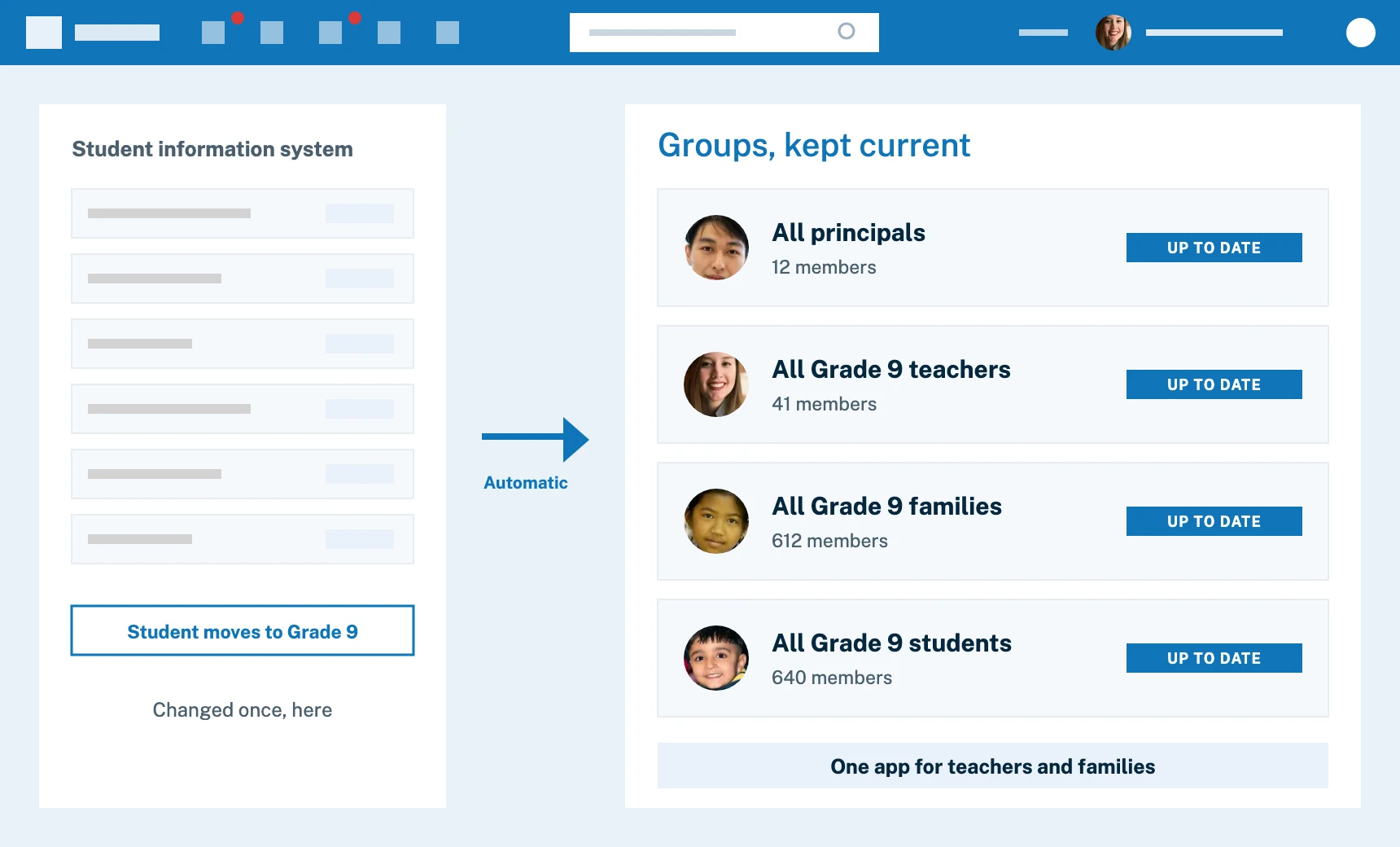
Edsby shows families everything about their kids up to the minute. Even what class they’re supposed to be in right now, in what room #, and if they were marked present or late. If teachers share grades, parents see them instantly. If students have homework, they can’t claim otherwise.
For younger kids, Edsby gives families a gateway into their child’s activities so they can see evidence of their learning. Teachers can share photos, videos, lesson plans and journals capturing classroom activities.
Edsby can serve as the official district calendar for families and students, even driving what appears on the district website. While populated straight from the district SIS, it displays students’ schedules in a more modern, attractive way than most SISes. Families always know what day of any complicated multi-day period rotation it might be.
If something changes, families don’t have to wait for an end of day (or week) email. Their cell phone can ping the moment a teacher shares a grade, or marks their child absent or late.
Unlike other systems, Edsby gives families their own accounts to follow their kids’ education and communicate with teachers and staff.
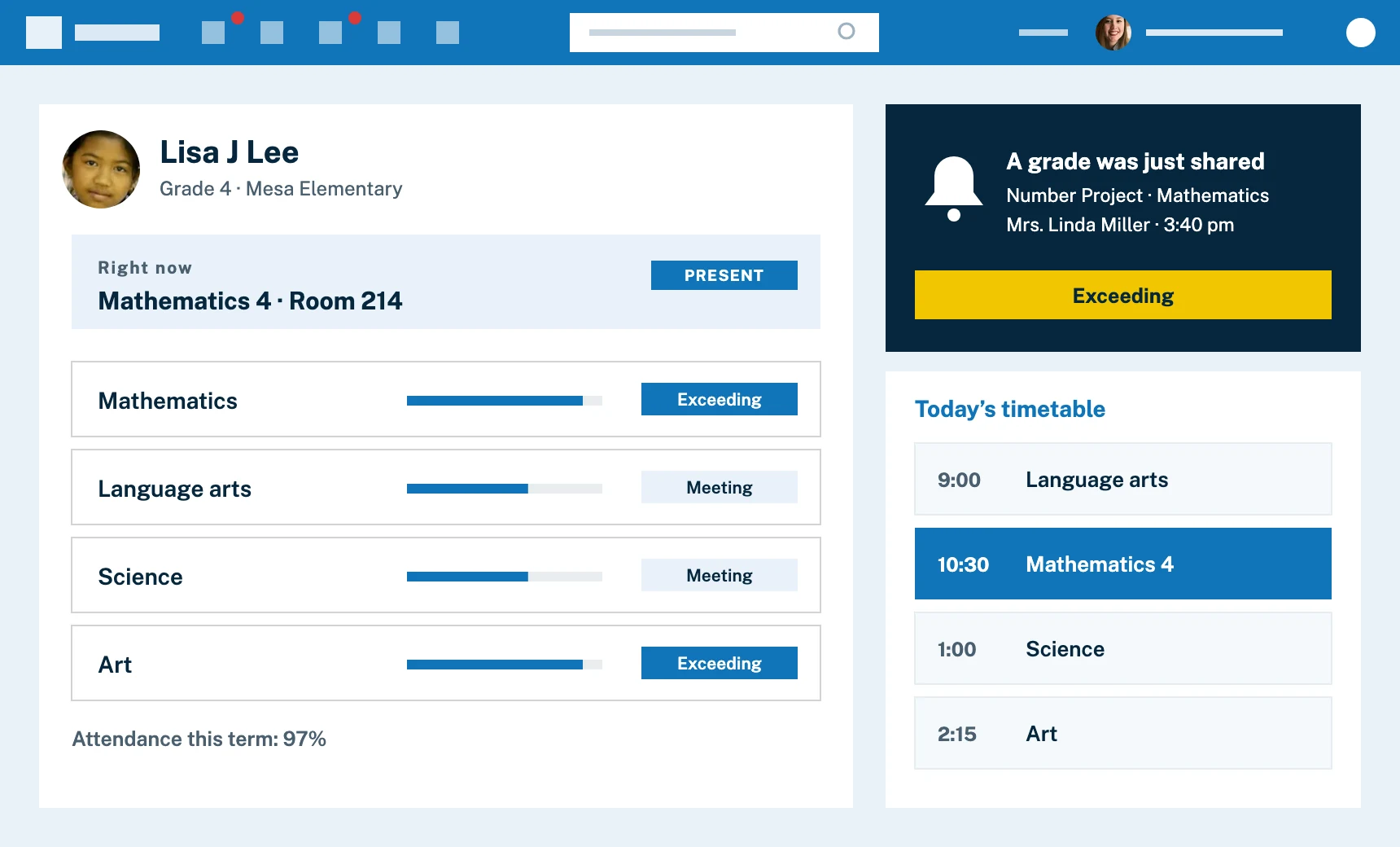
Edsby does heavy lifting behind the scenes.
Edsby can add educators, students and families into correct group conversations when their data changes in master systems, like the SIS (i.e., all principals, all Grade 9 teachers, all families, all students in grade 9, etc.)
Many education organizations don’t have good contact info for their families or formal ways to engage them electronically. Edsby can enable organizations to build their database of families and associate them securely with their children’s data.
With Edsby, teachers and families only need one app for everything related to teaching and learning. Families no longer need to use multiple apps to follow their kids’ education, saving frustration for everyone!
For families

Tuesday, 3:40 pm
Lisa’s family is notified the moment Mrs. Miller shares the project result.

Wednesday, 8:15 pm
Her parents choose times with all three teachers and pick a video call.

Thursday, 7:05 am
A planned morning absence goes straight to the class attendance list.

Customer story
Almost every one of our 70 schools has adopted Edsby for everything it has the ability to do.
Vicki HoustonCEO and Director, Greater Essex County District School Board, Ontario
Read the story More stories
Case studies and news
Paper forms cost schools time and trust. See how K-12 digital forms fix that.

See each stage of a K-12 field trip approval workflow, from proposal to check-in.

What the research and real district experience reveal about student-family engagement systems.

How modern districts are rebuilding parent school communication with unified, data-driven platforms.

Everything districts need to know about choosing and implementing K-12 family engagement systems.

See how the 34,000-student Kawartha Pine Ridge District School Board switched to Edsby through grassroots adoption to create a unified learning environment…
In their own words
28Parent testimonials
I feel more connected to my children's school.
I get daily reminders and easy access to everything about my son’s day.
Easy access to everything, including absences, teacher messages, and more.
A great way to stay informed. I like seeing homework, test notices, and study guides.
During COVID-19 and six daily classes, Edsby was a lifesaver for communication.
A great way to stay in touch with teachers and track my son’s assignments and grades.
I like receiving notifications from teachers, administration, and parent council.
I love accessing Edsby on my iPhone. It’s a great tool that’s really evolved.
Edsby is easy to use, kids navigate it well, complete their work, and communication is great.
Edsby helps me have real conversations with my child about school. No more “it was good, mom” at the dinner table!
A great way to keep up with school and my kids’ classes.
Helps me stay connected with my kids and their teachers. Love it.
FAQ
Answers for district staff, principals and teachers planning a family engagement rollout.
Yes. A parent or guardian signs in once and switches between their children.
Yes. Messages between a family and a teacher are private, and your school sets the rules for who can write to whom.
Teachers choose what to share from their classes, within the settings your district configures.
Edsby covers news, groups, messages and forms for families. Many schools keep a public website alongside it.
Explore other solutions
Edsby is one platform. These pages show it from different starting points.

Talk with our team about engaging families across your district or school.