Contact Sales

Edsby for parents: Know how your child is doing, as it happens.

Your own account shows grades, homework, attendance and school news for each of your children, and a direct line to their teachers.

A mother hugs her smiling daughter in school uniform at home

What parents want

  1. Real-time grades and progress

    Help your child stay organized and catch problems early.

  2. A better connection with teachers

    Messaging and forms that are easy and transparent.

  3. To stay informed

    The news and schedule that affect your child, in one app.

  4. A safe, fair school

    Your child’s safety, well-being and fair treatment.

How Edsby keeps parents informed and connected

Real-time access

Grades, homework and attendance as they happen

You want to help your child stay organized, make sure work is completed on time and address problems before they escalate. With your own login, connected to each of your children’s accounts, you see their classes and extracurriculars in one place.

  • Your own parent account, with your own login
  • Real-time grades, when teachers share them
  • Attendance, including late and absent
  • Learning story, My Work and portfolios
  • Push notifications the moment something happens
Your parent account
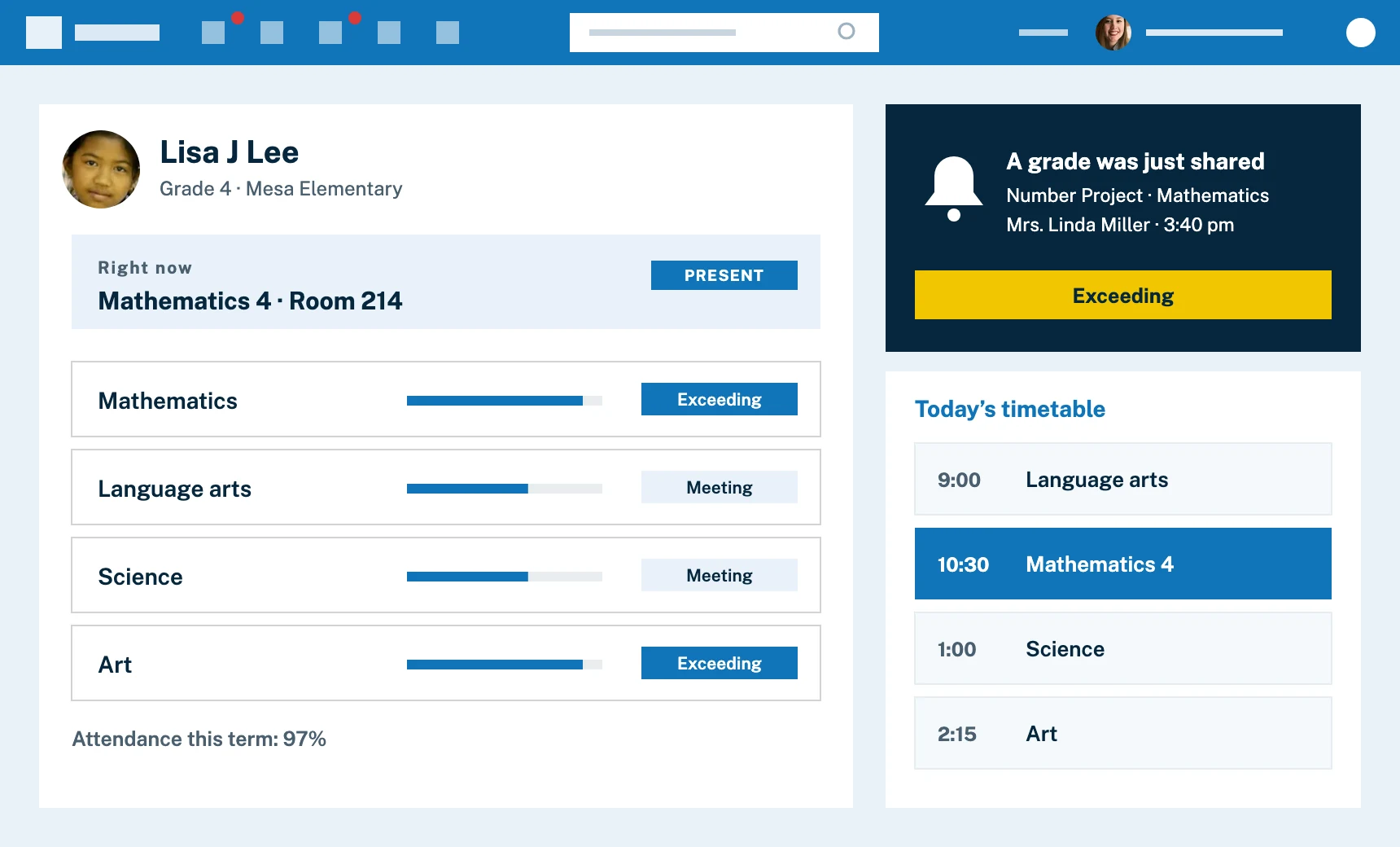
Stylized view of Edsby for a parent: their child’s current class and attendance, results in each subject, the day’s timetable and a notification that a grade was just shared

A better connection with teachers and school

Message a teacher without hunting for an email address

Communicate with your child’s teachers, principal and other staff in a closed system, with no email addresses to find. Easy forms handle parent-teacher interviews, picture day and field trip approvals.

  • 1:1 messages with teachers and the school office
  • Parent-teacher interview booking
  • Approval workflows for trips and permission forms
Parent-teacher interviews for parents
Stylized view of Edsby messages between a parent and a teacher, beside shortcuts for a planned absence, a conference booking and a field trip approval

Staying informed

The day’s news and your child’s schedule, in one app

Get the schedule at the beginning of the year and all year, real-time notice of snow days and bus cancellations, and advance notice of events. Class, school and district news arrive in the same app you use for everything else to do with your child’s school.

  • A calendar with classes, clubs and teams
  • Push notifications
  • A news river for your school and district
  • Groups for the PTA and other parent committees
School news and information
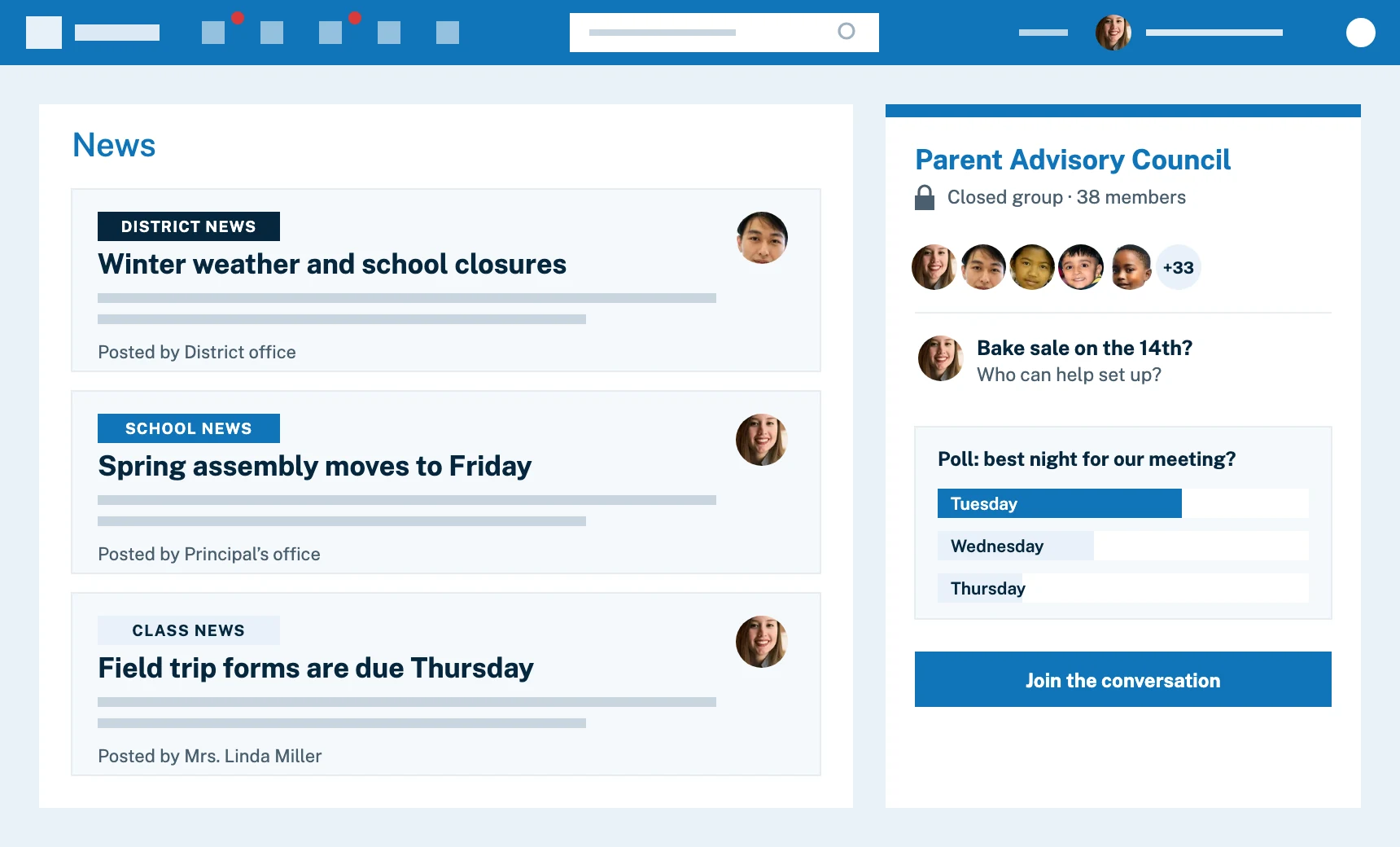
Stylized view of Edsby for a parent: district, school and class news from different senders, beside a closed Parent Advisory Council group with a poll

Watch

A tour of Edsby for parents

What parents see in Edsby, and how it fits into everyday family life.

A mother smiles beside her son as he does his homework at the kitchen table

How Edsby keeps children safe and treated fairly

Safety and well-being

A closed, safe place for your child

Edsby is a closed system, walled off from the internet. Messaging does not use email, and you can never see the names or pictures of other children. Analytics and zooms help staff spot students who may be struggling, and counselors and teachers can work together. In Canada, Edsby partners with Kids Help Phone.

  • A closed environment, with no email in or out
  • You only ever see your own children
  • A daily schedule that shows where your child is, down to the room
  • Staff tools to notice students at risk early
What parents see in Edsby
Stylized view of what a parent can see in Edsby: only their own child’s classes and only what teachers have chosen to share, with no one else’s posts or photos

Equity and fairness

Every child gets a fair chance

You want your child treated fairly, whatever their background or needs. Observation notes shared among staff help each child be seen as a whole person, and analytics can reveal whether results correlate with factors that should not matter. Edsby supports any language, and works on any device, including inexpensive phones.

  • Translation for any language
  • Observations shared with your child’s teachers
  • Works on any device
  • Groups that convene communities and share cultural values
Language settings and translating
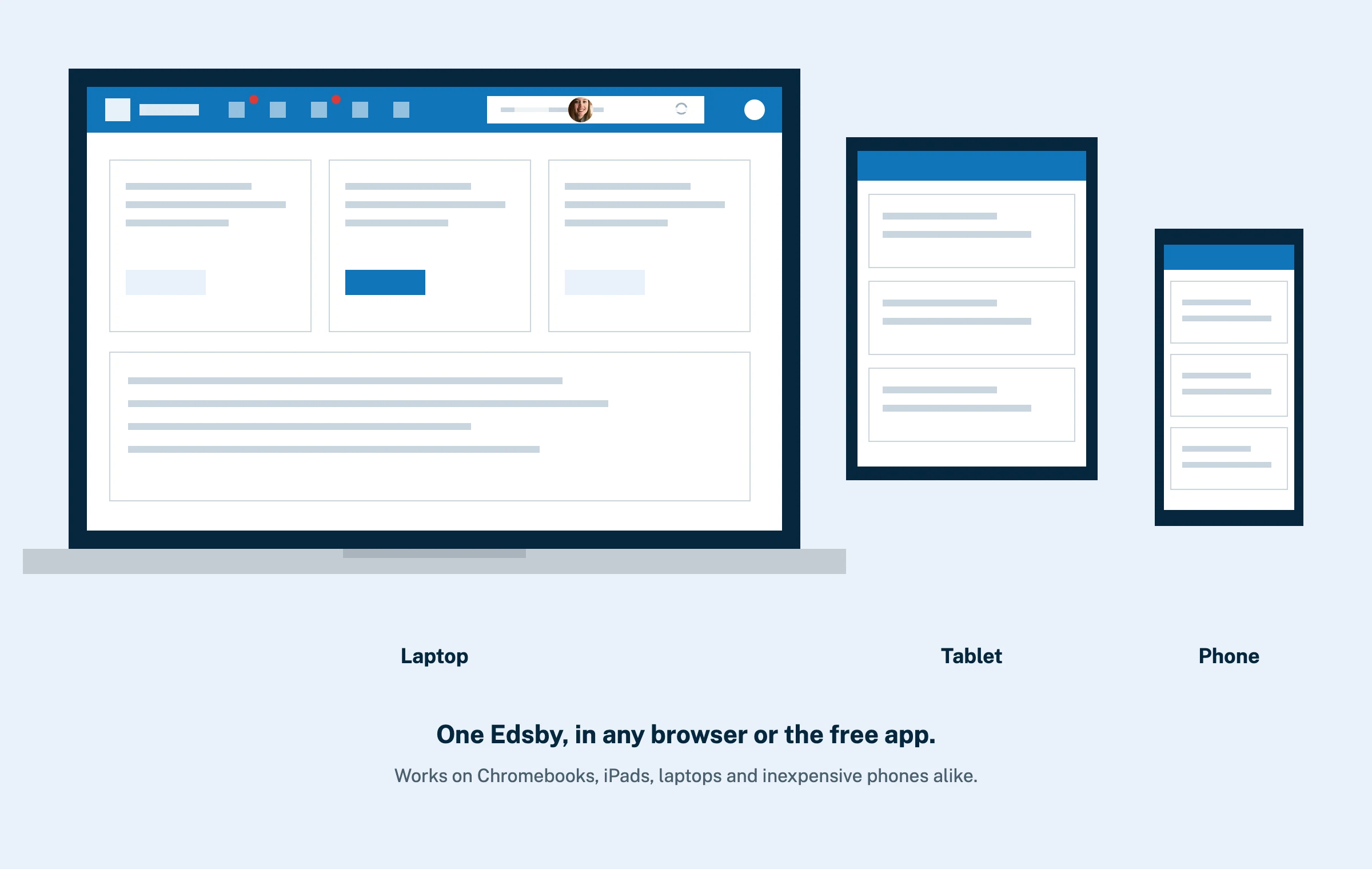
The same Edsby home screen on a laptop, a tablet and an inexpensive phone

Why parents like Edsby

The whole picture, in one app.

When all of a child’s teachers use Edsby, you can do away with the mishmash of websites, social media and apps individual teachers have used in the past.

  • The whole picture

    News, grades, homework, attendance and an easy way to contact the school, not a narrow window into one of them.

  • A full academic calendar

    The timetable, custom day cycles, tests, events, field trips and the clubs and teams your child belongs to. Print it for the fridge.

  • Modern family relationships

    Careful definitions of parents, relatives and guardians, and access controls to match.

  • Instant notifications

    Know the moment your child is marked late or absent, or when report cards are published.

  • Connect with other parents

    If your school enables it, join groups for sports and special interests.

  • Free for parents

    Well thought-out access for every parent, designed in from the start.

In their own words

What parents say about Edsby

28Parent testimonials

Edsby helps me stay up to date with my son’s progress.
Jocelyn BlairParent, Pembina Trails School Division, 18,000 students and their parents on Edsby since 2022
I like seeing my child’s schedule, class activity, office announcements and being able to report absences to the school.
Naomi VanasseParent, Greater Essex County District School Board, 38,000 students and their parents on Edsby since 2015
Edsby is excellent, and I love using it to communicate with my child’s teachers.
Farzana AhmadiParent, York Region District School Board, 131,000 students, on Edsby since 2016
A great way to stay in touch with teachers and track my son’s assignments and grades.
Marlene MishquartParent, Near North District School Board, 10,000 students and their parents on Edsby
I get daily reminders and easy access to everything about my son’s day.
Jodi ChristieParent, Near North District School Board, 10,000 students on Edsby
A great way to stay informed. I like seeing homework, test notices, and study guides.
Amanda RyanParent, Greater Essex County District School Board, 38,000 students and their parents on Edsby since 2015
I love seeing my child’s activities, marks, assignments and tests in one place.
Natalie PosthumusParent, Smithville Christian High School
I love that I can report absences anytime without calling the school.
Thayanithy SivapathasutharamParent, York Region District School Board, 131,000 students, on Edsby since 2016
With three kids, Edsby made it easy to stay on top of everything, especially during COVID-19.
Elena VitaleParent, Durham Catholic District School Board, 22,000 students and their parents on Edsby since 2017
Edsby is a perfect, easy way to stay updated on teachers, classes, marks, and report cards.
Sarah McNeilParent, Near North District School Board, 10,000 students and their parents on Edsby
I like receiving notifications from teachers, administration, and parent council.
Milena GiaourisParent, St. Michael's College School
Easy access to everything, including absences, teacher messages, and more.
Anna Maria HodaraParent, York Region District School Board, 131,000 students, on Edsby since 2016

FAQ

Questions parents ask about Edsby

Getting started and getting the most from it.

Help for parents
How do I get an Edsby account?

Your child’s school or district sends a special invitation email to the address they have on record. How to get an Edsby parent account. If you have not received it, contact your school to make sure they have your correct email address. Your parent account gives you special access, so you should never log in as your child.

Why can I not set up my own account?

Parent accounts must be linked to the accounts of their own children, and only their own, to protect students’ sensitive information. The school or district sets up that link, which is why the invitation comes from them. It protects everyone’s security.

Can I have more than one child on my account?

Yes. Any number of children can be attached to one parent login, even children in different schools in the same district. Here is how to set it up.

Why use Edsby rather than notifications over the internet?

Student information sent over the public internet, by email or social media, can breach confidentiality, and privacy rules such as FERPA, COPPA and GDPR restrict it. Edsby keeps it in a closed, encrypted system. Details on parental accounts.

Can I use Edsby on my phone?

Yes. Use a web browser, or get the free app, and set notifications so you know the moment something happens. About the parent app and where to get it.

Can I help my child get the most out of Edsby?

Yes. Learn how to support organization and homework. Helping your child get the most out of Edsby.

Explore other solutions

Edsby is one platform. These pages show it from different starting points.

A woman inviting you to contact Edsby

Want Edsby at your child’s school?

Tell your child’s principal about Edsby, or ask our team how it could work at your school.

Contact Sales Send to my child’s principal