
Platform features
Edsby platform features
Edsby is a single platform for teaching, assessment, families and data. Browse everything it does by area, or search for something specific.
66 features in 7 areas
- Teaching and classroom Plan, run and adjust every class 9
- Assessment and reporting Grades, evidence and report cards 12
- Integration, data and security Connected to your systems, built to protect 17
- Communication Messages, news and notifications 8
- Families and community Parents, groups and shared spaces 10
- Student support and intervention Find and help students who need it 5
- Optional components Add what you need, same login 5
Teaching and classroom
9 features
Everything a teacher needs to plan a course, run a class and adapt as it goes, on a laptop, a tablet or a phone.

-
Content builder
How the content builder worksAuthor courses in units, tag them to standards and organize them with lesson plans, journals, homework and online tests. Copy in web content and Open Education Resources, then rearrange and reuse it.
-
Import curriculum
About LTI appsBring in content in SCORM, Common Cartridge, ePub and Moodle formats, or link to other tools and apps through LTI.
-
Course models
Define settings once in a course model. For example, every Grade 5 math gradebook can show strand averages without each teacher setting it up. Curriculum and official resources such as textbooks can be defined too.
-
Seating plans and rosters
Seating plan helpEach class shows where students sit, which helps at the start of term and for substitute teachers. Teachers can print student lists in several handy formats.
-
Attendance
Attendance helpReal-time online attendance that works on mobile and connects to your official systems of record. It handles late slips, and parents can report planned absences.
-
Polls
Teachers ask students to weigh in on a subject, then choose whether to share the results.
-
Class Perspective
About PerspectiveGraphical views of how a class is doing, so teachers can spot outlying students and gaps in instruction.
-
Learning object repositories
About repositoriesCurate approved content once, then let teachers find and reuse it across schools or the whole district.
-
Timetable and calendar
About calendarsClass, group and school calendars roll up into each person’s personal calendar. Integrated with school databases and attendance, so parents also see whether a child was marked present or late.
Assessment and reporting
12 features
From the daily gradebook to the official report card, with your own grading schemes, standards and evidence built in.
-
Gradebook
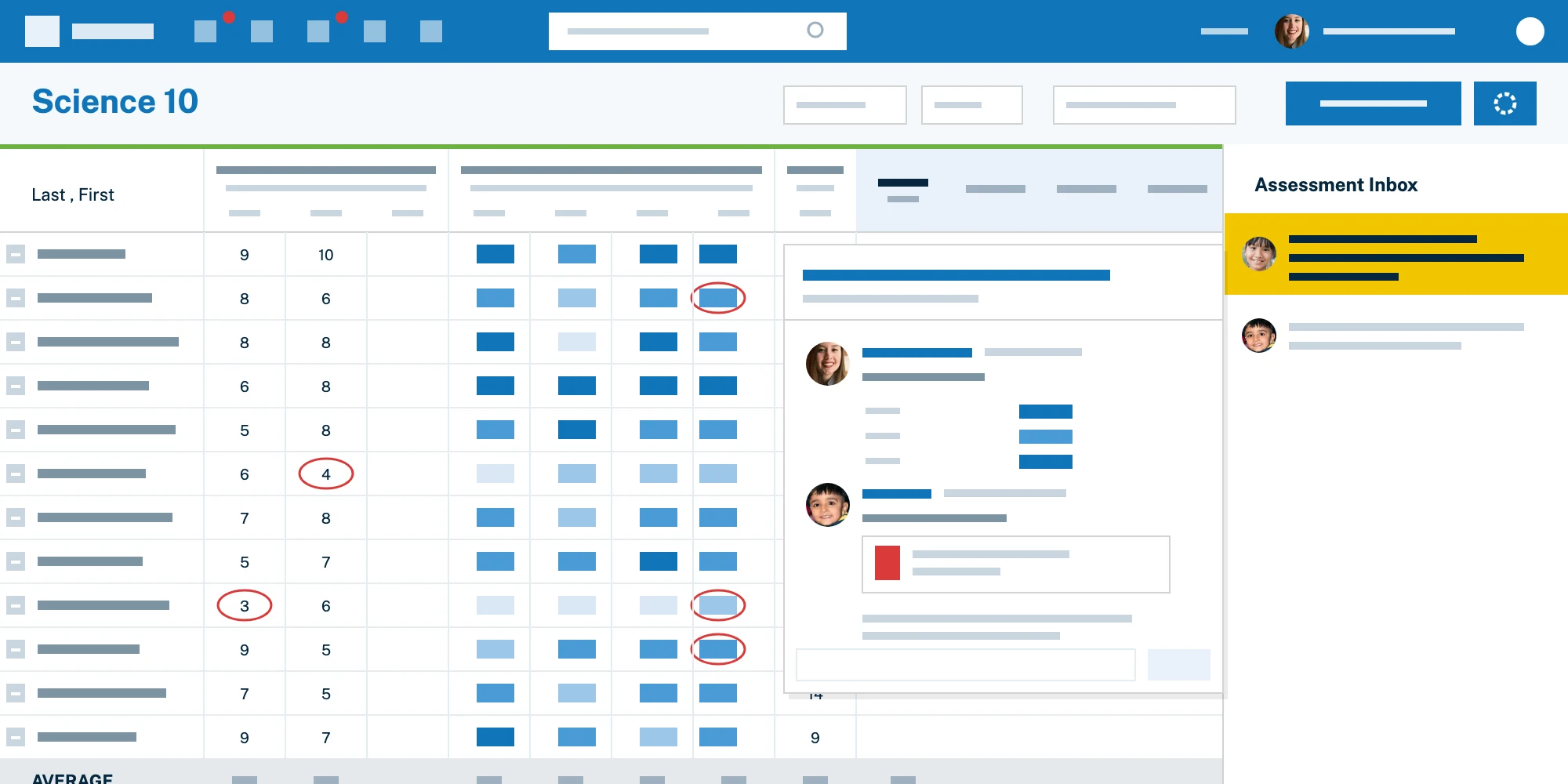
Gradebook helpAn advanced gradebook for summative and formative assessment, with electronic submissions and easy sharing of results with students and parents. It supports rubrics and other advanced schemes.
-
Online testing
About online testsCreate and reuse online tests with many question types, most graded automatically. Grades flow into the gradebook, and question banks keep questions organized.
-
Standards-based grading
About standardsTie assessments, observations and learning evidence to state, provincial or federal expectations, outcomes or standards, and track coverage by class or by student.
-
Document markup
About the GraderGrade and mark up popular document types with rectangle, pen, text and highlighter tools. Teachers choose when to share their annotations with students and parents.
-
Learning evidence
See learning evidenceRecord learning with photos, videos or other documents to capture progress or show mastery. Evidence can be mapped to standards, shared with parents and analyzed at reporting time.
-
Weighting
About weightingAssessments can reflect a teacher’s professional judgment about how much a test or an essay should count toward a final grade.
-
Grade override
About grade overridesTeachers can use professional judgment to override calculated grades in gradebooks and report cards.
-
Report cards
Report card helpTeachers finalize report cards and submit them to the office, using your official reporting schemes and layouts. Comments can be freeform or drawn from official comment sets.
-
Portfolios
About portfoliosStudents keep electronic portfolios of their best work, and parents can view them. In the earliest grades, teachers can add items on a student’s behalf to start the record of their learning journey.
-
Observations
Teacher observations about a student are recorded and visible to school or district staff with permission to see them, including the student’s other current teachers.
-
Performance indicators
Color-coded symbols give teachers an informal way to tell students and parents how a student is doing at something.
-
Badges
About badgesConfer badges for student achievement, or use badges for teacher certifications and professional development.
Integration, data and security
17 features
Edsby connects to the systems you already run, keeps data in your region and gives each person access to the right information only.

-
Two-way integration
See integrationsEdsby syncs both ways with student information and management systems, HR databases, spreadsheets, CSV files and other structured data, so classes, students, teachers and schedules appear on their own.
-
Open standards
About OneRosterEdsby supports OneRoster for rostering and LTI for connecting learning tools, so the platform fits the rest of your technology.
-
Single sign-on
About Google sign-inUse your existing LDAP or Active Directory, or sign in with Kerberos, OAuth, Google Workspace for Education or Microsoft 365 with Azure.
-
Google and Microsoft 365
Tight integration with Google Workspace for Education and Microsoft 365. Students can sign in with Google or Microsoft, upload documents and more.
-
APIs
Application programming interfaces are available for tight interoperability with other systems.
-
App framework
Need something Edsby does not do today? Custom apps can be built on Edsby’s infrastructure, such as custom registrations, credit recovery or substitute teacher management.
-
Safety and access control
How Edsby protects dataDesigned for K‑12, where the safety of students and their data comes first. Edsby manages access for students, parents, teachers, and school and district staff, synchronized with district or region databases, so the right people see the right information.
-
Data sovereignty
Edsby and user dataEdsby is hosted in Microsoft Azure data centers around the world, so sensitive student data stays in the customer’s region.
-
ISO 27001 certified
Read the announcementEdsby is certified to the ISO 27001 information security standard.
-
Safe uploads
All uploaded files are virus checked, and media files are transcoded so any device can open them.
-
Data consolidation
About data insightsData from many sources can be consolidated and normalized, then shared selectively with other systems according to the customer’s policies, over proprietary and open protocols.
-
Learning record store
A learning record store (LRS) tracks student activity in the system, and the history of changes to content, which enables powerful analytics.
-
Dynamic insights
Real-time insight from live, up-to-date data.
-
Archive and retention
Privacy and securityGrades, observations, notes, class posts, private messages and files are retained consistent with your district’s retention policy.
-
Records requests and investigations
Privacy and securityAdministrators can search archived data for the whole district or for individual users, and export what a records request or an internal review needs. Retained data cannot be removed by the people who created it.
-
Data recovery
Privacy and securityIf a teacher deletes course content by accident, the files can be restored from the Edsby archive.
Communication
8 features
Messages, news and alerts reach the right people in the moment, on any device and in the language they speak, without anyone sharing an email address.

-
Confidential messages
About messagingTeachers can message students, parents or anyone else in the district without email addresses or address books, because addresses sync from official systems.
-
Social classrooms
Every class in every school gets a social media-like space, with the right students and teachers added automatically. A safe, structured place for a class to interact and share, ideal for flipped and blended learning.
-
News
About newsShare school news in a “river of news” for students and parents, in front of or behind the Edsby login. District, state, province or national streams can be added too.
-
Real-time notifications
When something changes, families do not have to wait for an end-of-day email. Notifications arrive in the moment.
-
Real-time video
See the Zoom integrationTight integrations with Microsoft Teams and Zoom let classes meet face to face online, inside Edsby’s own security and without outside impersonation or abuse.
-
Mobile apps
Get the appsEdsby apps for iOS and Android put classes, grades, messages and news in every family’s pocket.
-
57 languages
Language supportEdsby supports 57 languages, so more families can follow along in the language they speak at home.
-
Launchpad
About the LaunchpadSchools, districts and regions can configure the Launchpad to link students, educators and parents to other approved resources.
Families and community
10 features
Parents get their own accounts and a safe view of school life. Groups, libraries and shared spaces bring the wider school community together.

-
Parent support by design
Family engagementParent features were built into Edsby from day one. Parents get their own accounts, their own view of each child and their own app.
-
Flexible account setup
How parent accounts workParents can be imported from existing systems and lists, or Edsby can safely register them and connect their accounts to their children’s.
-
No email addresses
About messagingParents and teachers do not need each other’s email addresses to message each other, and teachers never manage parent address books.
-
Full or partial visibility
Parents see as much, or as little, of what happens in a class as the teacher chooses to show them.
-
Voice and video comments
Parents can leave encouraging voice and video comments on their children’s work, including portfolio entries.
-
Planned absences
About planned absencesParents can use Edsby to schedule their children’s planned absences from school.
-
Groups
About groupsPowerful ways for students, teachers and parents to collaborate, closed or open to a school, district or region. Show a group to everyone or only to chosen roles. Ideal for teams, clubs and professional development.
-
Teacher collaboration
About professional development groupsProfessional development groups let teachers work together on curriculum, even across a district or region.
-
Knowledge bases
Collect the results of conversations, files, links and collaborative text documents in wiki-like knowledge bases.
-
File libraries
Files shared in a class or group can be preserved in a library that students, and even parents, can open later.
Student support and intervention
5 features
Tools that help educators notice who needs attention, understand the whole child and work together on a plan.

-
Panorama
About PanoramaOn one screen, educators see everything about a child’s education, including current grades, parent information, attendance, discipline, progress reports, learning evidence, IEPs, report cards, portfolio, alerts, schedule and teacher observations.
-
Zoom views
About ZoomsPowerful teacher-level and school-level views let educators filter and search data quickly, including risk indicators that point to students needing help.
-
Monitor groups
About monitor groupsManage students who need special attention so educators can collaborate on strategies for their success.
-
Progress reports
Guidance office guideShare progress reports with students and parents. Guidance counselors can also open them when they set up meetings with a student and family.
-
Integrated actions
From an insight, message the people involved, meet online, or place at-risk students into a group, all inside Edsby.
Optional components
5 features
Optional components add to the platform and live inside the same Edsby, with one login for staff, students and families.
-
Forms & Workflows Optional
See Forms & WorkflowsPaper forms, approvals and signatures that run themselves. Permission slips, registrations and trip approvals move through the right people, with a running list of who has responded.
-
Destinations Optional
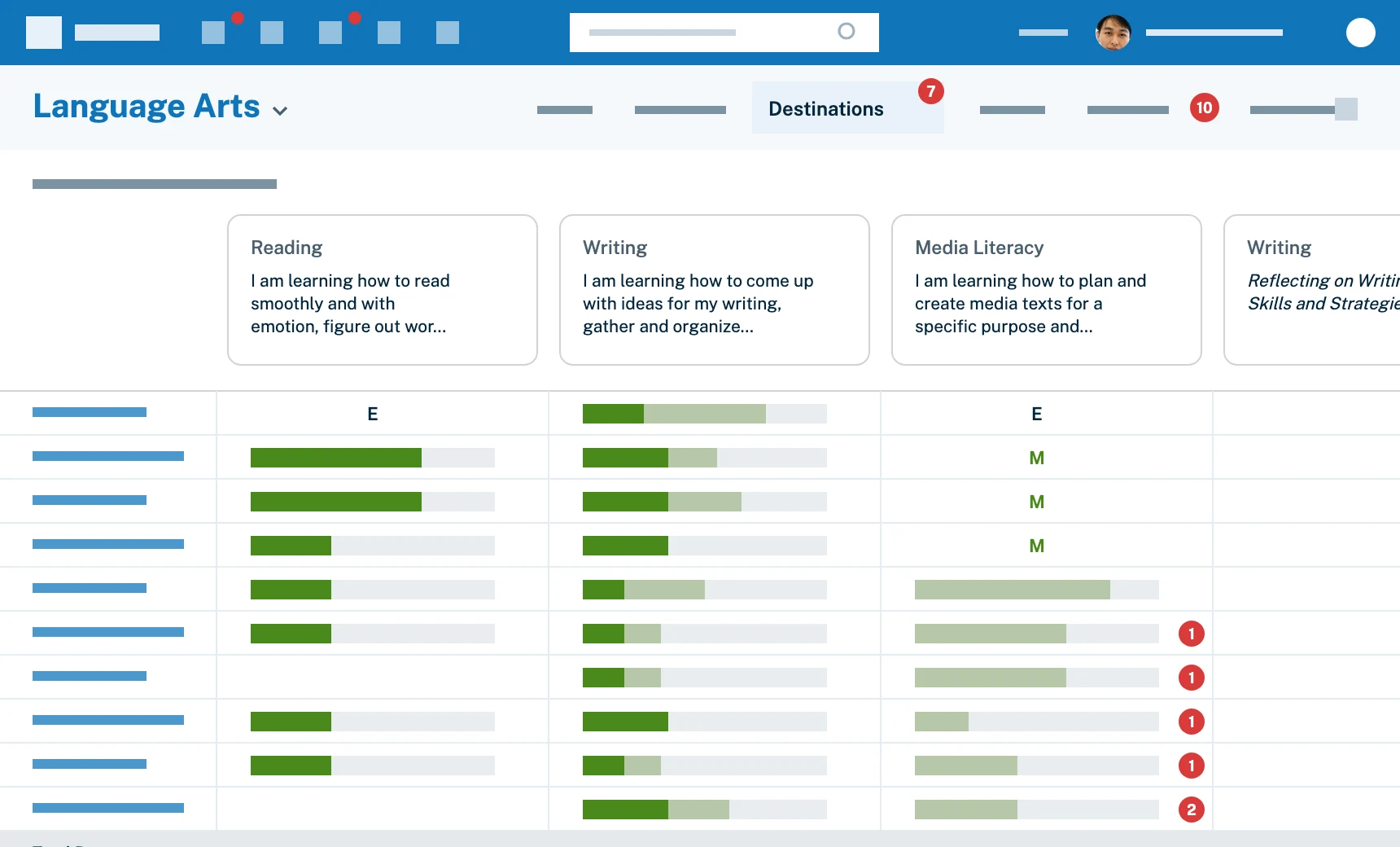
See DestinationsCompetency-based learning that shows real progress. Know where every learner is, and where they are going next.
-
Student analytics Optional
See Student analyticsAchievement insight you can act on, in near real time, with attendance and achievement across every school.
-
Teacher AI Assistant Optional
See the AI AssistantGenerative AI for every teacher, safely inside Edsby. It helps with everyday teaching tasks, such as drafting a report card comment for the teacher to review.
-
Conference scheduling Optional
See conference schedulingParent-teacher conferences, booked online inside the Edsby your families already use.
Explore full solutions
Edsby is one platform. These pages show it from different starting points.

See Edsby working in your school or district.
Talk with our team, or share Edsby with your principal.